Otter Element is a game about building up an otter-powered tower and discovering chemical elements one by one. The free browser preview is the real game, limited to the first two elements, Hydrogen and Helium. This guide covers a first session using what the preview actually offers.
Open the Otter Element preview Free, no account. Progress is saved only in this browser.
What the preview is
The preview has no ads, purchases or rankings, and it stops after the first two elements. The full game is on Android and is in closed testing now; we are not promising a full browser release. Chapter 1 is called "First Light" and its first node is Hydrogen, with three waves of enemies.
Your first minute
A short tutorial explains three ideas: train your tower, clear nodes and beat the boss to get an element, and there are 118 elements in all, with the preview opening the first two. Read it once, or skip it. The fight then starts by itself and repeats, so you are free to look around while it runs.
Your first upgrades
You begin with some credits and four upgrade cards: Attack, Health, Repair and Resonance. Each has a small "+1" button that spends credits to train it one level. A sensible first choice is Attack, because clearing waves faster earns credits faster. Health helps if the tower is being worn down, Repair heals over time, and Resonance adds to your blast. Train buttons also offer 10× and 50× steps once you can afford them.
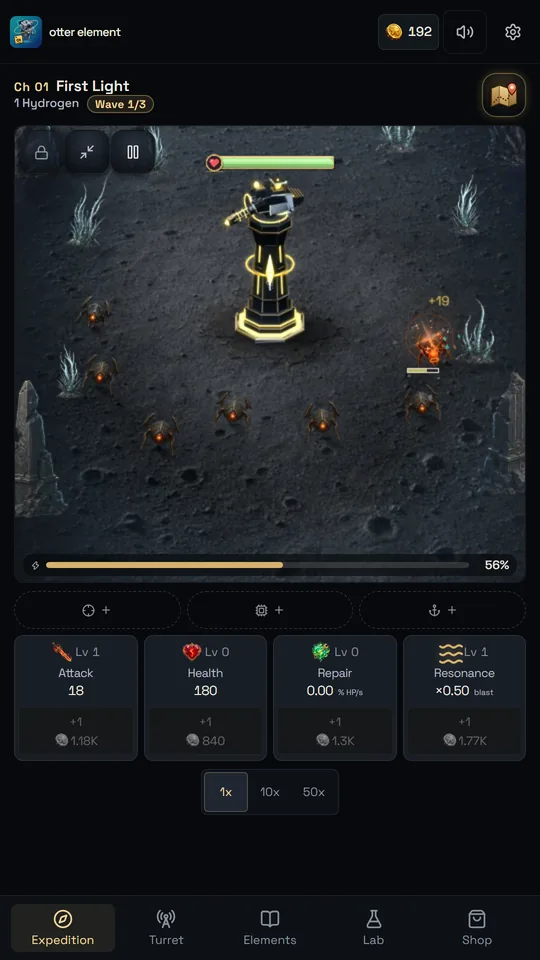
Here the tower has had one Attack upgrade. Costs rise as you train, so spreading credits across upgrades is a fair way to keep progress steady.
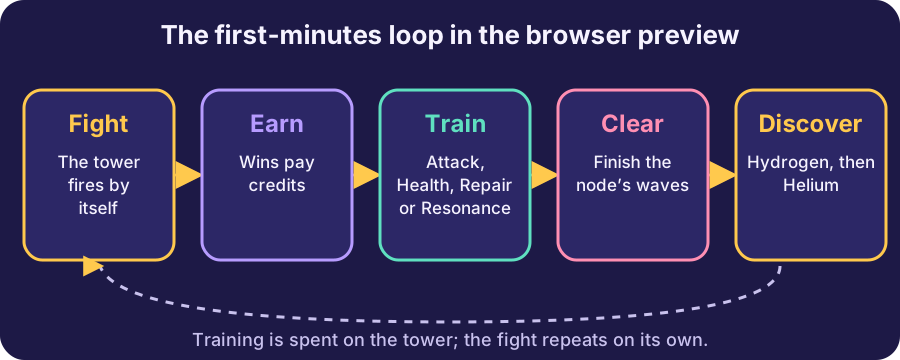
Start with Hydrogen The first node takes a couple of minutes.
Clearing Hydrogen
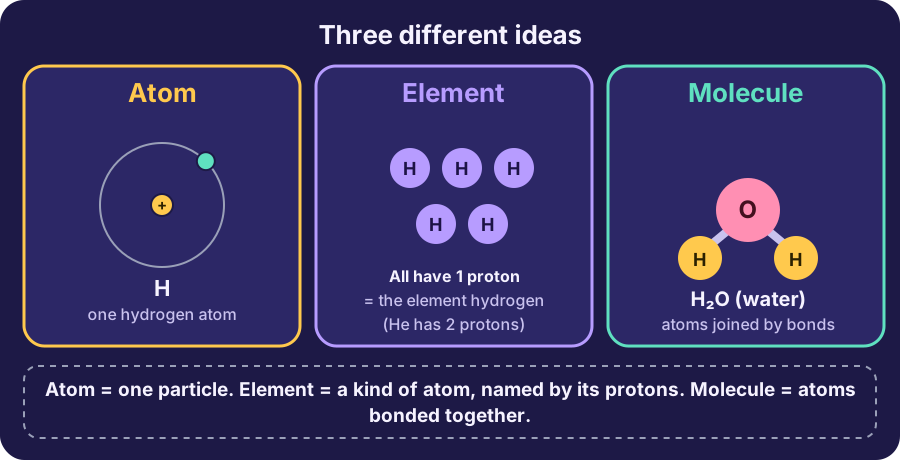
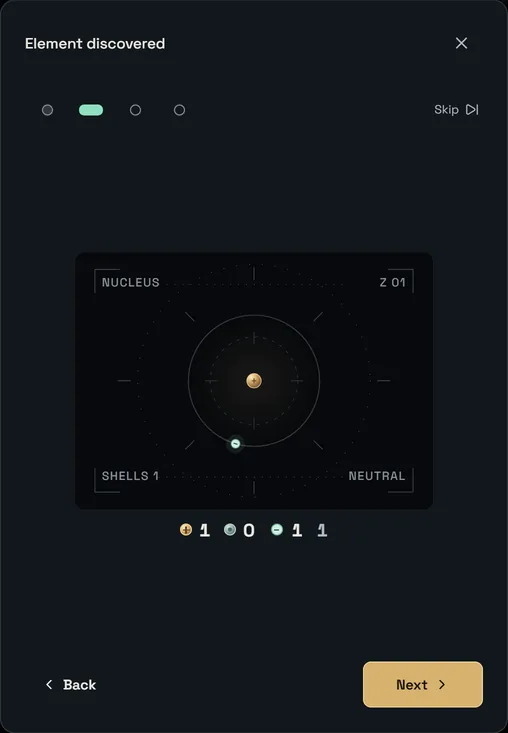
When the node's waves and boss are cleared, an "Element discovered" card appears for Hydrogen. It steps through the atom (one proton, no neutrons, one electron), the element's power (a Healing Cloud) and a reward of credits and a small attack bonus. A message then points you to the Elements tab to see the atom again. Helium is the second node, and the preview ends there. Our atoms, elements and molecules article explains what those numbers mean.
Elements and Turret tabs
The bottom bar has Expedition, Turret, Elements, Lab and Shop. Elements shows a periodic table with the elements you have found highlighted, plus details and an atomic structure view. Turret has three power slots; Hydrogen's Healing Cloud goes into the first slot, and elements you have not found are shown as locked.
What the preview does not include
The Lab tab is locked in the preview: it asks you to complete Lithium first, which is not part of this version. The Shop only offers a free daily pack. And the game is a designed puzzle, not a chemistry simulator; for that distinction see the preview page and our atoms article. If the full game interests you, the preview page links to the Android closed-testing information.
Playing together
Because the fight runs by itself, the preview suits a shared screen. Let your child choose which upgrade to train and say why; then check afterwards whether the choice helped. Pause during the Hydrogen discovery card and read the atom numbers aloud. If a session stops being fun, close the tab: progress is stored in the browser, so you can pick up later, and Settings has a reset button if you want a fresh start.
The preview is a small taste: two elements, a handful of upgrades and a few minutes of play. It is meant to show how the game feels, not to replace the full version.